Midlibrary calls me a Geometric Screenprinter. I didn’t tell it that — it figured it out from the styles I used this year. Now it can do the same for you!
How It Learns
Every style you open, copy, save or like tells Midlibrary a bit about you. Each style carries its looks: drawing, fine lines, flat color, moody… Put enough of your styles together, and a picture of your taste appears.
You’ll find it on your Activity page, under Your look: the looks you come back to, how many of your styles carry each one, and your colors. A look that most of the Library shares counts for less — so “Realistic” doesn’t drown out what makes you you.
Mine, for the record: realistic, portraits, cinematic, surreal — and 43% black. I was kind of surprised by the color palette, but the words are spot on.
Members can mute any look they’re tired of, and For you stops leaning on it.
Styles for You
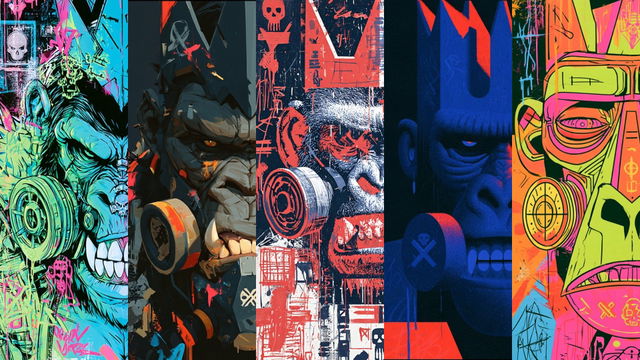
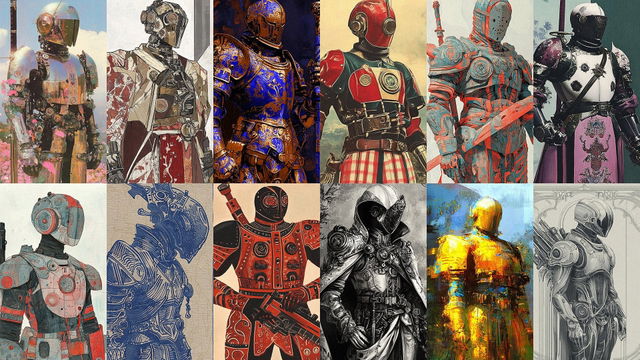
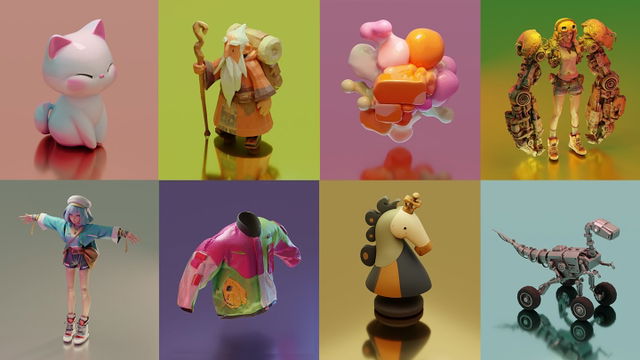
This is where it pays back. Your new For you page takes your top looks and gives each one its own row — Because you use fine lines — with four styles you haven’t tried yet. Nothing you already saved or copied comes back.
Here is a small sample of what Midlibrary offered me. My passion for portraits is very evident here. (^__^)
The more you use the Library, the better it knows you. A brand-new account sees the most used styles first, until it has a few of yours to go on.
Your Activity and Badges
Your profile has a new Activity tab: how many styles you used, copied, liked and saved, and how long you've been here. Under it — ten badges to earn. Some come quick, like your First like. Some take a while: 500 different styles, or A style from every category in the Library. And if your account is older than Midlibrary 4, one is already waiting for you.
Your Year in Styles
Members also get Your year: the year told in styles — your five most used, the looks and colors of your year, month by month, your firsts. It’s ready on 1 December; until then, it shows the year so far.
And on top of it, a name for your taste. Mine is Geometric Screenprinter. And it sounds about right!
You’re in Control
All of it is counted from what you do on Midlibrary, and only you see it. Your public profile shows your stats, badges, look or likes only if you turn them on, one by one.
Want to make sure Midlibrary can learn from you? There’s one switch for that:
Show It
Now the fun part. Open your profile, press Share, and Midlibrary draws your card: your nine most used styles, your name and your numbers, for a social post or a story. The card’s color comes from your nine pictures, so each card wears its owner’s colors. Don’t like one of the nine? Click or tap it, and the next style takes its place (you can always undo that by resetting to the proposed nine).
Members get the year card too — your taste name, your top styles and your colors.
Collections got a Share window as well: a card with the cover and five more of its styles. Even a private collection can be shared as a picture, without opening its link.
Your card and your collection cards come with a free account; you need nine styles used for the first one. Membership adds Your year, its card, and a taste you can tune.
Your Turn
Make your card and post it — and tag @midlibrary.io, I’d love to see what your nine are. And open your For you page: does it get you? Tell me where it misses. The Write to us link at the bottom of every page comes straight to me.
Midlibrary can learn your visual style. What you make with it is still all yours!
Happy midjourneys,
— Andrei
About the author

I am a visual artist with 17 years of experience in portrait photography, film, mask design, and education. As Midjourney AI and its analogs are revolutionizing the world of art and our creativity itself, I am overwhelmingly excited to explore the limits of these fantastic new tools and share my findings with the community.